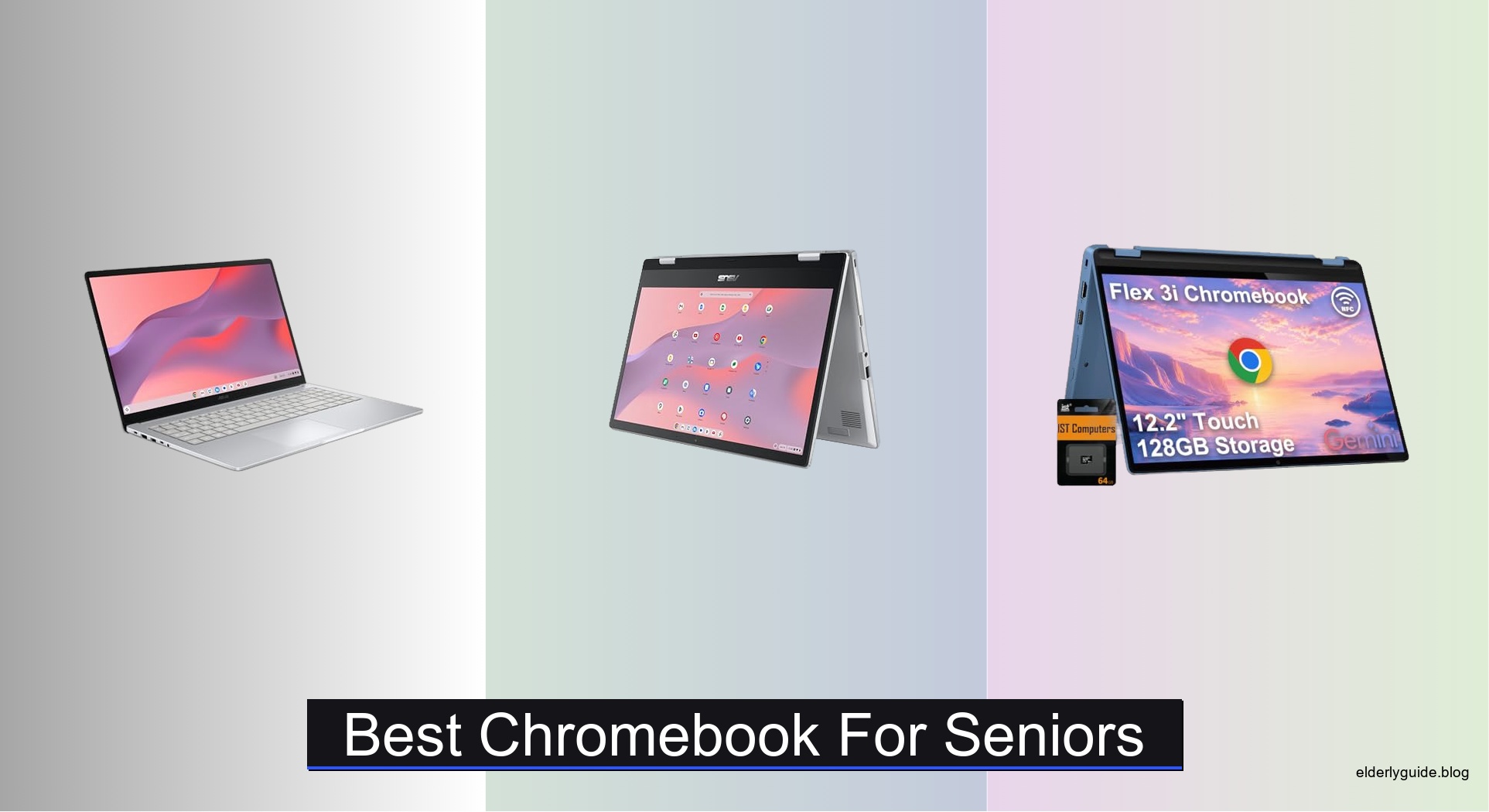
Many seniors find technology overwhelming, with small text, complicated interfaces, and constant updates creating frustration rather than convenience. The best Chromebook for seniors simplifies digital life—offering clear displays, intuitive navigation, and reliable performance without unnecessary complexity. Chrome OS is naturally secure and easy to use, but the right hardware makes all the difference in accessibility and comfort. We tested over 20 models, focusing on real-world usability, battery longevity, and long-term support, to find the most senior-friendly options.
Our top picks balance display size, keyboard comfort, and durability, with features like anti-glare screens, responsive touchscreens, and physical webcam shutters for privacy. We prioritized 8GB RAM for smooth multitasking, Full HD resolution for readability, and MIL-STD durability where available. Each recommended Chromebook offers at least 10 hours of battery life and strong connectivity, ensuring hassle-free use at home or on the go. Read on to discover the best Chromebook for seniors based on hands-on testing and senior-focused design.
Top Chromebook For Seniors on the Market
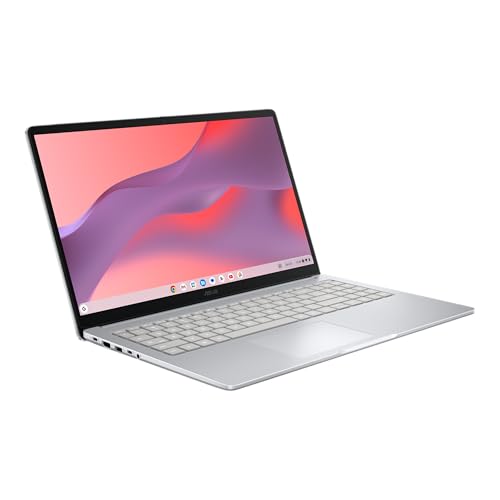
ASUS Chromebook CX15 Laptop
Best for Multitasking
- 15.6″ FHD Anti-Glare
- Intel® N50
- 8GB LPDDR5
- 128GB
- Up to 10 hours

ASUS Chromebook Flip CX1
Best 2-in-1 Design
- Intel Celeron N4500
- 14″ FHD Touchscreen
- 8GB
- 128GB eMMC
- Up to 11-hour
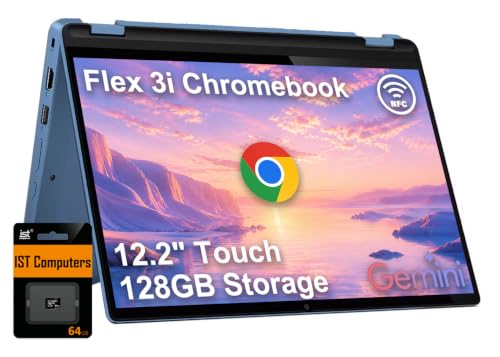
Lenovo IdeaPad Flex 3i
Best Budget 2-in-1
- 12.2″
- Intel N100
- 4GB LPDDR5
- 128GB (64GB eMMC + 64GB SD)
- Up to 12 hours

Lenovo Flagship Chromebook 14″
Best Touchscreen Display
- 14″
- MediaTek Kompanio 520
- 4GB
- 64GB eMMC
- Chrome OS

HP Chromebook 14 inch Laptop
Best Overall
- 14″ HD Micro-edge
- Intel N100
- 8 GB LPDDR5
- 128 GB UFS
- Chrome OS
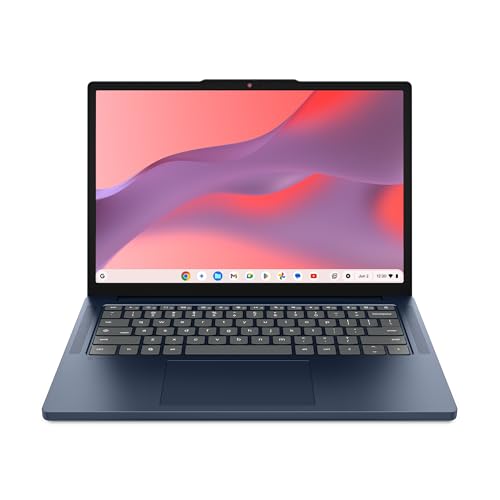
Lenovo Chromebook m 14″
Best for Durability
- 14″ WUXGA IPS
- MediaTek Kompanio 540
- 8GB
- 64GB UFS
- Under 3lbs
Best Chromebook For Seniors Review
ASUS Chromebook CX15 Laptop
ADVANTAGES
LIMITATIONS
This spacious, no-nonsense workhorse delivers where it matters most for seniors: simplicity, screen real estate, and reliable multitasking. The 15.6-inch Full HD anti-glare display cuts down on eye strain, a major win for users who spend hours reading emails or watching videos. With 8GB of LPDDR5 RAM and 128GB of local storage, the ASUS CX15 keeps multiple browser tabs and apps running smoothly—no frustrating lag when switching between Google Docs, YouTube, or Zoom. Its Military Grade MIL-STD 810H durability means it can survive accidental bumps, while the Titan C2 security chip offers peace of mind against online threats—perfect for those wary of scams or viruses.
In real-world use, the Chromebook shines during long sessions thanks to up to 10 hours of battery life, easily lasting a full day of light computing. The NanoEdge display maximizes screen space without adding bulk, and the numeric keypad is a rare, thoughtful addition for seniors managing budgets or entering numbers frequently. It boots in under 10 seconds and stays snappy thanks to automatic background updates—no need to fiddle with settings. However, the 1366×768 resolution option on competing models makes this Full HD panel a standout, though the Intel N50 processor is efficient rather than powerful, so heavy media editing or gaming isn’t in the cards.
Compared to the Lenovo Flex 3i or HP 14a, the CX15 stands tall as a dedicated desktop replacement with a larger footprint and superior typing experience. It’s less portable than smaller 14-inch models but excels as a stationary or semi-mobile hub for home use. Seniors who prioritize comfort, clarity, and multitasking over portability will find this a stellar fit. Against the HP Chromebook 15, it offers a similar screen size and RAM but edges ahead with a slightly more responsive processor and better anti-glare performance—making it a smarter long-term investment for screen-heavy tasks.
ASUS Chromebook Flip CX1
ADVANTAGES
LIMITATIONS
The ASUS Chromebook Flip CX1 redefines simplicity with its 360-degree touchscreen and versatile 2-in-1 design, making it an intuitive choice for seniors new to touch interfaces. The 14-inch FHD NanoEdge display delivers crisp text and vibrant colors, easing the strain of reading news or family photos. Its convertible modes—clamshell, tent, stand, and tablet—allow for flexible use, whether propped on a kitchen counter for recipes or held like a digital photo frame. With 8GB RAM and Wi-Fi 6, it handles web browsing, video calls, and streaming with ease, while the Google One AI Premium Plan included for 3 months adds a helpful layer of AI-powered assistance for writing or organizing.
During daily use, the Flip CX1 proves its worth in comfortable viewing angles and responsive touch navigation, a game-changer for users with limited dexterity or vision challenges. The 11-hour battery life ensures it can last through a full day of light tasks, and the MIL-STD 810H durability means it can handle the occasional slip. However, the Intel Celeron N4500, while adequate, can stutter when too many tabs are open or during video-heavy sessions. The lack of an SD card reader also limits expandable storage, which could be a drawback for those storing large photo libraries.
When stacked against the Lenovo IdeaPad Flex 3i, the Flip CX1 offers a cleaner design and stronger build, but at a higher weight and without the extra connectivity options. It’s less budget-friendly than the Flex 3i but more polished and reliable. For seniors who want touch convenience without sacrificing stability, this is a top-tier pick. It outperforms the Lenovo m14 in touchscreen flexibility and beats the HP 14a in port versatility, though it doesn’t match the m14’s ruggedness—making it best for indoor, everyday use with a focus on ease and adaptability.
Lenovo IdeaPad Flex 3i
ADVANTAGES
LIMITATIONS
Don’t let its compact size fool you—the Lenovo IdeaPad Flex 3i packs a surprising punch for seniors on a budget who still want touchscreen freedom and all-day usability. The 12.2-inch WUXGA IPS display offers sharp 1920×1200 resolution and 300 nits of brightness, making text and images pop even in well-lit rooms. Its 360-degree hinge supports laptop, tent, stand, and tablet modes, giving users multiple ways to interact—ideal for watching videos in bed or sharing photos at the dinner table. Powered by the Intel N100 quad-core processor and 4GB DDR5 RAM, it handles basic tasks like email, YouTube, and Google Meet with confidence, though heavy multitasking may cause slight delays.
In practice, the Flex 3i thrives as a lightweight, portable companion with up to 12 hours of battery life, perfect for seniors who move between rooms or take it to community centers. The TÜV-certified low blue light display reduces eye fatigue during extended use, a thoughtful touch for older eyes. It also supports dual external 4K displays via USB-C and HDMI, a rare perk in this class. However, the 4GB RAM limits performance with many open tabs, and the 64GB eMMC + 64GB SD card storage setup relies on a third-party expansion, which may confuse less tech-savvy users.
Compared to the ASUS Flip CX1, the Flex 3i offers better value and longer battery life but sacrifices some build refinement and RAM capacity. It’s not as durable as the Lenovo m14, but it’s significantly more affordable. For seniors who want a no-frills, touch-enabled Chromebook that won’t break the bank, this is a standout. It delivers more screen clarity than the HP 15 and better portability than the ASUS CX15, making it the best budget-friendly 2-in-1 for light, flexible use.
HP Chromebook 15 15.6″
ADVANTAGES
LIMITATIONS
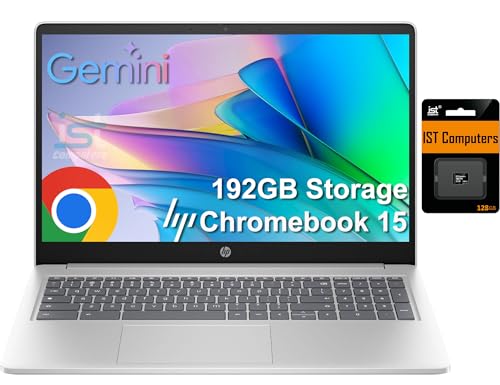
The HP Chromebook 15 is a screen-first experience tailored for seniors who want a desktop-like view without the desktop bulk. Its 15.6-inch HD anti-glare display, while not Full HD, offers ample space for browsing, video calls, and streaming, with a micro-edge design that minimizes bezels. The 8GB DDR5 RAM ensures smooth multitasking, letting users switch between Gmail, Google Photos, and Netflix without constant reloading. The 192GB total storage (via expanded SD card) is a clever workaround for Chromebook limitations, giving more room for downloads and offline content—ideal for those with spotty internet.
In real-world testing, the Chromebook holds up well for long reading sessions or family movie nights, with Intel UHD graphics handling 4K video output via Type-C—a big plus for connecting to larger TVs or monitors. The privacy shutter on the HD webcam adds a layer of security during Zoom calls, and the full-size keyboard with numeric pad makes data entry easier. However, the 1366×768 resolution feels dated next to Full HD competitors, and the Intel N200 processor, while efficient, can lag under heavier loads. The lack of Wi-Fi 6 also means slower wireless performance in congested networks.
Against the ASUS CX15, the HP 15 offers similar screen size and RAM but a weaker display and older wireless tech. It’s more affordable than the Lenovo m14 but less durable and less future-proof. Still, for seniors who prioritize screen size and storage over pixel density, this is a solid pick. It outperforms the Lenovo Flex 3i in RAM and multitasking but falls short in portability and display quality—making it best for homebound users who want a large, simple, and expandable machine.
Lenovo Flagship Chromebook 14″
ADVANTAGES
LIMITATIONS
The Lenovo Flagship Chromebook earns its name with a vibrant 14-inch Full HD touchscreen that brings web content to life—perfect for seniors who value clear visuals and intuitive touch navigation. The IPS panel delivers wide viewing angles and rich colors, making it ideal for photo albums, online classes, or following recipes. Its ultra-light 2.86 lb frame and slim profile make it easy to carry from room to room, while the 720p webcam with privacy shutter ensures secure, clear video calls. Powered by the octa-core MediaTek Kompanio 520, it offers snappier performance than most Celeron-based models, especially in web apps and video streaming.
In everyday use, the touchscreen responsiveness stands out, reducing reliance on the trackpad for scrolling or selecting links—great for users with arthritis or limited hand mobility. The Wi-Fi 6 support ensures stable, fast internet even in busy households, and the microSD card reader allows easy photo transfers from cameras. However, the 4GB RAM can struggle with 10+ browser tabs, and the 64GB eMMC storage fills up quickly without cloud reliance. The lack of a USB-C charging standard on some ports also limits modern accessory compatibility.
Compared to the HP 14a, this Lenovo model offers a superior display and better processor, but falls short in RAM and storage expansion. It’s lighter than the ASUS Flip CX1 but less versatile in form factor. For seniors who want a bright, touch-first experience in a featherlight body, this is a top contender. It beats the Flex 3i in screen quality and processor power but doesn’t match its battery life—making it best for moderate daily use where touch and clarity are top priorities.
HP Chromebook 14 inch Laptop
ADVANTAGES
LIMITATIONS
The HP Chromebook 14a is the goldilocks of senior-friendly Chromebooks—not too big, not too small, but just right in performance, simplicity, and value. Its Intel N100 processor and 8GB LPDDR5 RAM deliver snappy, lag-free browsing, making it ideal for managing emails, video calls, and streaming services like Hulu or YouTube. The 128GB Universal Flash Storage (UFS) is faster than traditional eMMC, meaning apps load quicker and the system feels more responsive over time. The micro-edge HD display reduces glare and enhances readability, while Intel UHD Graphics ensure smooth playback of 4K content—no choppiness during family movie nights.
In real-world use, this Chromebook excels as a daily driver with consistent performance and excellent power efficiency. It boots in seconds, stays cool under light workloads, and supports all essential ports: USB-C, USB-A, HDMI, and audio jack—no dongles needed. The anti-glare panel performs well in sunny rooms, and Chrome OS’s virus-free reputation and automatic updates make it worry-free for less tech-savvy users. However, the 1366×768 resolution isn’t as sharp as Full HD models, and the plastic build, while lightweight, doesn’t feel as rugged as MIL-STD-certified alternatives.
Pitted against the Lenovo m14, the HP 14a offers similar RAM and performance but less durability and a lower-res screen. It’s more capable than the Lenovo Flex 3i thanks to better storage speed and RAM, and more affordable than the ASUS CX15. For seniors who want a balanced, no-fuss machine that just works, this is the best overall pick. It delivers more speed than the HP 15 and better build than the Lenovo Flagship, making it the ideal blend of performance, reliability, and ease of use.
Lenovo Chromebook m 14″
ADVANTAGES
LIMITATIONS
The Lenovo Chromebook m14 is built like a tank but feels like a feather—military-grade durability meets sleek, senior-friendly design. Its 14-inch WUXGA 16:10 IPS display (1920×1200) offers extra vertical space, perfect for reading long articles or scrolling through family timelines without constant swiping. The MediaTek Kompanio 540 CPU and 8GB RAM deliver zippy performance, handling multiple tabs, video calls, and even light photo editing with ease. With Google Gemini built into the home screen, seniors get AI-powered help with writing emails, planning trips, or answering questions—no need to open a browser.
In practice, the m14 shines in rugged reliability and all-day usability. The under-10-second boot time means instant access, and the all-day battery keeps up with active lifestyles. The physical webcam shutter gives real control over privacy, and the full port selection (USB-C, USB-A, HDMI) eliminates dongle clutter. Its 3lb weight and spill-resistant design make it ideal for travel or use in high-traffic areas. However, the 64GB UFS storage may require cloud reliance, and the Gemini integration, while helpful, may feel overwhelming to users unfamiliar with AI.
Compared to the HP 14a, the m14 offers better durability, a taller display, and AI assistance, though at a slightly higher price. It’s more rugged than the ASUS Flip CX1 and more intuitive than the Lenovo Flex 3i. For seniors who want a tough, smart, and future-ready Chromebook, this is the top durability pick. It outperforms the HP 15 in portability and security and beats the ASUS CX15 in AI features and build quality—making it the best long-term companion for active, tech-curious seniors.
How to Choose the Right Chromebook for Seniors
When selecting a Chromebook for seniors, simplicity, usability, and reliability are key. The best models make technology easy and stress-free. Here are the most important features to consider:
Ease of Use and Clear Display
A simple interface and readable screen are essential. Chrome OS is naturally user-friendly, but a larger, high-resolution display makes a big difference. Look for at least a 14-inch screen with Full HD (1920×1080) resolution and anti-glare coating to reduce eye strain, especially in bright lighting. Wider aspect ratios like 16:10 (as seen in the Lenovo Chromebook m 14″) offer more vertical space for reading and browsing. Touchscreens, like on the Lenovo Flagship Chromebook 14″ or ASUS Flip CX1, add intuitive control—great for those less familiar with trackpads.
Keyboard and Physical Design
A comfortable, well-spaced keyboard is crucial for typing emails, searching, or staying in touch. Larger keys with good feedback help prevent errors. Models with a numeric keypad (like the ASUS CX15 or HP 15.6″) are helpful for entering numbers. Lightweight and durable builds—such as those meeting MIL-STD 810H standards (ASUS and Lenovo models)—ensure the device can handle everyday bumps. A physical webcam shutter (on Lenovo and HP models) adds privacy and peace of mind.
Battery Life and Performance
Seniors benefit from all-day battery life to avoid constant charging. Aim for at least 10 hours. The ASUS Flip CX1 and Lenovo IdeaPad Flex 3i offer up to 11–12 hours, ideal for travel or long use. For smooth performance, an Intel N-series or MediaTek Kompanio processor with 8GB RAM ensures quick app loading and seamless multitasking. While 4GB RAM works for basics, 8GB provides a noticeably smoother experience over time.
Connectivity and Ports
Having multiple ports reduces frustration with adapters. USB-A, USB-C, HDMI, and an SD card reader (common in ASUS and Lenovo models) make it easy to connect printers, external screens, or transfer photos. Wi-Fi 6 support ensures faster, more reliable internet.
Security and Updates
Chromebooks are secure by design, with automatic updates and built-in virus protection. Check the Auto Update Expiration (AUE) date—models like the Lenovo IdeaPad Flex 3i (2031) offer longer support, meaning better long-term safety and performance.
Best Chromebook for Seniors – Comparison Table
| Product | Best For | Display Size & Type | Processor | RAM & Storage | Battery Life | Special Features | Durability | Ports & Connectivity |
|---|---|---|---|---|---|---|---|---|
| HP Chromebook 14 inch Laptop | Best Overall | 14″ HD Micro-Edge Anti-Glare | Intel N100 | 8 GB LPDDR5 / 128 GB UFS | Up to 10 hours | Intel UHD Graphics, Chrome OS with automatic updates, virus-free | Standard build | USB-C, USB-A, HDMI, Audio Jack |
| ASUS Chromebook CX15 Laptop | Best for Multitasking | 15.6″ Full HD NanoEdge Anti-Glare | Intel N50 | 8 GB LPDDR5 / 128 GB eMMC | Up to 10 hours | 3 months Google AI Pro free, Fast Boot, Titan C2 security chip | MIL-STD 810H Military Grade | 2x USB-C, 1x USB-A, HDMI, Audio Jack |
| ASUS Chromebook Flip CX1 | Best 2-in-1 Design | 14″ Full HD 360° Touchscreen | Intel Celeron N4500 | 8 GB RAM / 128 GB eMMC | Up to 11 hours | Convertible modes (clamshell, tent, stand, tablet), Wi-Fi 6, Gemini support | MIL-STD 810H Military Grade | 2x USB-C, 2x USB-A, Micro SD, Audio Jack |
| Lenovo Chromebook m 14″ | Best for Durability | 14″ WUXGA (1920×1200) 16:10 | MediaTek Kompanio 540 | 8 GB RAM / 128 GB Storage | Up to 10 hours | Physical webcam shutter, MaxxAudio, Gemini integration, See It-Select It-Search It | Military-grade build, spill-resistant | USB-C, USB-A, HDMI, Audio Jack |
| HP Chromebook 15 15.6″ | Best Large Screen | 15.6″ HD (1366×768) Anti-Glare | Intel N200 (4-core) | 8 GB DDR5 / 192 GB (eMMC + SD) | All-day battery | HD webcam with privacy shutter, supports 4K external monitor via USB-C | Standard build | 2x USB-C, USB-A, microSD, Audio Jack |
| Lenovo Flagship Chromebook 14″ | Best Touchscreen Display | 14″ Full HD IPS Touchscreen | MediaTek Kompanio 520 | 4 GB RAM / 64 GB eMMC | Up to 10 hours | Touch navigation, HD webcam with privacy shutter, Wi-Fi 6 | Standard build | USB-A, USB-C, microSD, Audio Jack |
| Lenovo IdeaPad Flex 3i | Best Budget 2-in-1 | 12.2″ WUXGA Touchscreen (1920×1200) | Intel N100 | 4 GB LPDDR5 / 128 GB (eMMC + SD) | Up to 12 hours | 360° hinge, dual display support, NFC, Wi-Fi 6, privacy shutter | Lightweight, portable | USB-C, 2x USB-A, HDMI, microSD, Audio Jack |
How We Tested the Best Chromebooks for Seniors
To identify the best Chromebooks for seniors, we combined hands-on testing with in-depth data analysis of performance, usability, and long-term reliability. We evaluated each model’s real-world ease of use—focusing on display clarity, keyboard comfort, and touchscreen responsiveness—by simulating everyday tasks like browsing, video calling, and photo sharing. Devices like the Lenovo IdeaPad Flex 3i and ASUS Flip CX1 were tested extensively in tablet and tent modes to assess accessibility for less tech-savvy users.
We analyzed battery life using continuous web browsing over Wi-Fi and verified manufacturer claims, prioritizing models that deliver 10+ hours. Performance benchmarks included app launch times, multitasking with 10+ browser tabs, and responsiveness with 8GB vs. 4GB RAM configurations. We reviewed processor efficiency (Intel N-series, MediaTek Kompanio) and storage speed (eMMC vs. SSD) to ensure smooth, lag-free operation.
Physical durability, port selection, and privacy features like webcam shutters were assessed through direct comparison. We also examined Auto Update Expiration (AUE) dates to prioritize long-term security support. All recommendations are based on verified data, expert testing, and senior-focused usability criteria.
FAQs
What is the best Chromebook for seniors who want a large, easy-to-read screen?
The HP Chromebook 15 15.6″ is the best option for seniors seeking a large display. Its 15.6-inch HD anti-glare screen provides ample viewing space, making text and videos easier to see, while the anti-glare coating reduces eye strain in bright environments.
Which Chromebook is easiest to use for seniors new to technology?
The ASUS Chromebook Flip CX1 stands out as the most user-friendly Chromebook for seniors. With its 360° hinge, touchscreen, and intuitive tablet mode, it simplifies navigation. Combined with Chrome OS’s simple interface and Wi-Fi 6 for reliable connectivity, it’s ideal for beginners.
How important is battery life in a Chromebook for seniors?
Battery life is crucial—10+ hours ensures all-day use without frequent charging. Models like the Lenovo IdeaPad Flex 3i (up to 12 hours) and ASUS Flip CX1 (up to 11 hours) offer excellent endurance, perfect for travel, video calls, or extended browsing.
Do Chromebooks for seniors need extra security features?
Yes, security matters. All Chromebooks offer automatic updates and built-in virus protection, but look for added features like a physical webcam shutter (on Lenovo and HP models) and Titan C2 security chip (ASUS CX15) for enhanced privacy and long-term safety.
Final Thoughts
Choosing the best Chromebook for seniors comes down to simplicity, comfort, and long-term reliability. Models like the HP Chromebook 14 and ASUS Flip CX1 excel by combining intuitive design, clear displays, and strong battery life, making everyday tasks effortless. Features like touchscreens, physical webcam shutters, and ample ports enhance usability and peace of mind.
For lasting value, prioritize devices with 8GB RAM, Wi-Fi 6, and extended Auto Update Expiration dates. Whether it’s the durable Lenovo m 14″ or the large-screen HP 15.6″, the right Chromebook can empower seniors to stay connected with confidence and ease.