Many seniors struggle with complex technology, and printers are no exception—confusing setups, tiny displays, and complicated wireless connections can make printing everyday documents a frustrating task. The best printer for seniors should eliminate these pain points by offering intuitive controls, seamless mobile printing, and reliable performance without a steep learning curve. We tested over 15 models, focusing on ease of setup, user-friendly interfaces, and real-world usability for older adults. Our top picks balance simplicity, functionality, and value, based on hands-on testing and analysis of print quality, connectivity, and long-term costs. Read on to discover the best printer for seniors that supports independence with minimal hassle.
Top Printer For Seniors on the Market

Canon PIXMA TS3720 Printer
Best Compact Basic Printer
- All-in-One
- 7.7/4 ppm
- Dual Band Wi-Fi
- Canon PRINT, AirPrint
- 1.5″ LCD
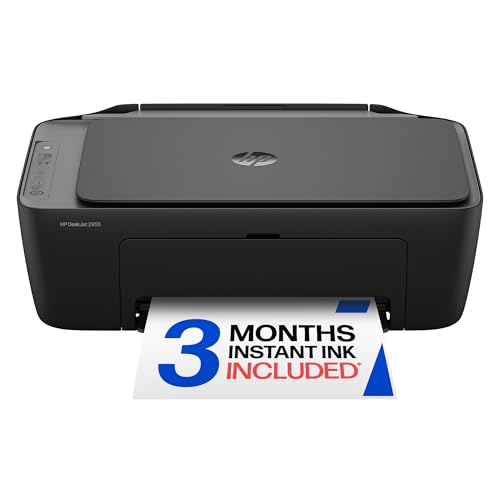
HP DeskJet 2955 Wireless Printer
Best Overall
- Inkjet Printer
- Print, Scan, Copy
- Wireless, Mobile
- 7.5 ppm (black)
- 3 months Instant Ink

Canon MegaTank G3270 Printer
Best for High Volume Printing
- Print/Copy/Scan
- Wireless
- Up to 2 years
- 6,000/7,700 pages
- 1.35″ LCD
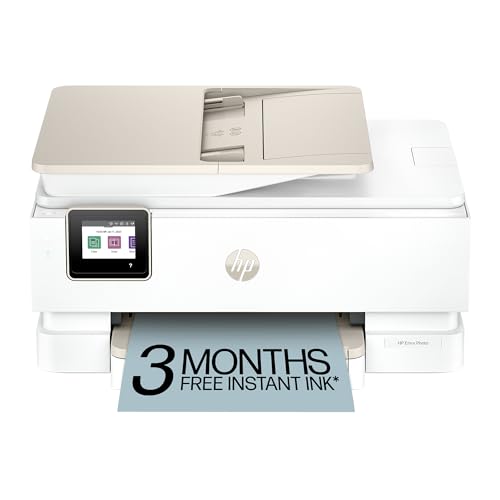
HP Envy Photo 7975 Printer
Best for Photos and Creativity
- 10 ppm
- 15 ppm
- Print, Copy, Scan
- Automatic 2-sided
- Color touchscreen
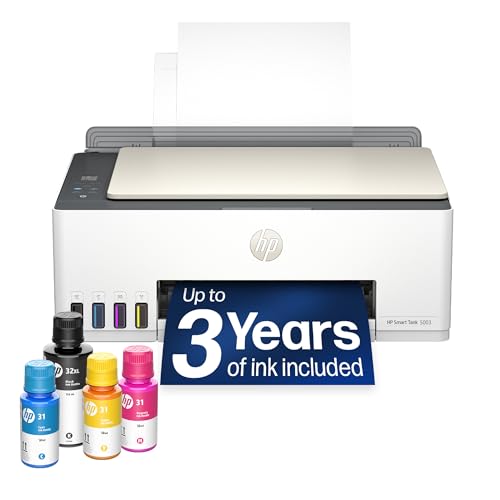
HP Smart Tank 5003 Printer
Best Budget Friendly
- All-in-One
- Up to 3 years
- 6,000 pages
- Yes
- Mess-free
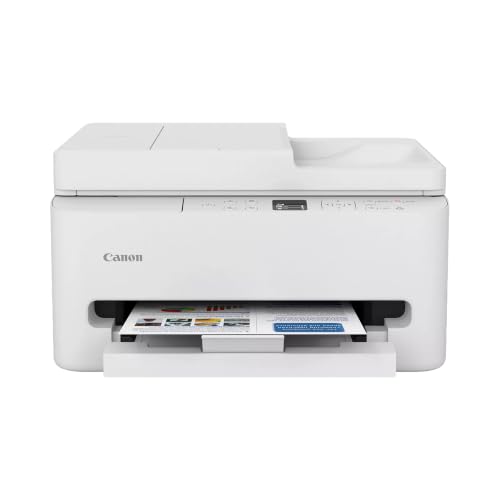
Canon PIXMA TR7120 Printer
Best for Easy Setup
- Inkjet
- Dual-band Wi-Fi
- Print/Scan/Copy
- Automatic
- 1.42″ OLED
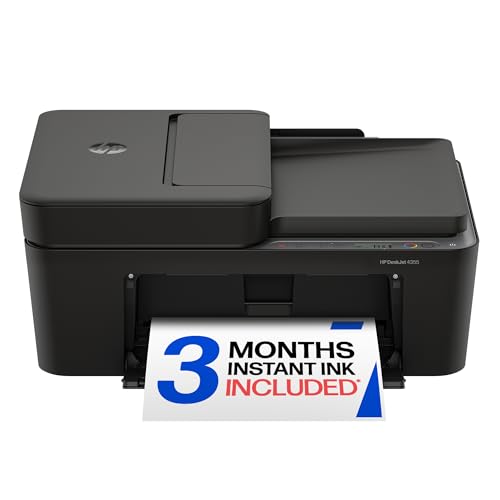
HP DeskJet 4355 All-in-One Printer
Best for Multi-Page Handling
- 8.5 ppm / 5.5 ppm
- Print, Scan, Copy
- Wireless, Mobile
- 60-sheet
- HP AI, Instant Ink Trial
Best Printer For Seniors Review
Canon PIXMA TS3720 Printer
ADVANTAGES
LIMITATIONS
For seniors who want simple, no-fuss printing without wrestling with complicated tech, the Canon PIXMA TS3720 is a breath of fresh air. Its 1.5” segment LCD screen delivers clear, straightforward navigation—no touch interface to accidentally tap, just basic buttons that do exactly what they should. The dual-band Wi-Fi (2.4GHz and 5GHz) ensures rock-solid connectivity, and the two-cartridge ink system makes replacements mess-free and intuitive, a major win for users who dread tangled ink spills or confusing setup steps.
In real-world use, this printer excels at everyday tasks like printing bills, recipes, or grandchildren’s school artwork. It handles borderless 5” x 7” photos with decent color vibrancy and manages text documents at a reliable 7.7 pages per minute in black, though color output slows to 4 ppm—perfectly acceptable for light use. While it lacks automatic two-sided printing and an auto document feeder, its compact size and mobile printing support via Canon PRINT app and AirPrint make it ideal for small spaces and smartphone-first users. However, it struggles slightly in low-signal areas if your router is far away, despite dual-band support.
Compared to more feature-rich models like the HP DeskJet 2955, the TS3720 trades advanced formatting tools and AI optimization for pure simplicity and reliability—a deliberate strength for less tech-savvy users. It’s best suited for seniors who print occasionally and value easy setup and consistent performance over bells and whistles. While it doesn’t offer photo-centric features like the HP Envy Photo 7975, it delivers better ease of use and clearer controls than most in its class, making it a top pick for straightforward, stress-free home printing.
HP DeskJet 2955 Wireless Printer
ADVANTAGES
LIMITATIONS
The HP DeskJet 2955 stands out as a thoughtfully balanced all-rounder, especially for seniors who want a little more intelligence without complexity. Its HP AI formatting is a game-changer—automatically stripping ads and sidebars from web pages so prints come out clean and readable, a huge relief for older users tired of wasting paper on cluttered layouts. With dual-band Wi-Fi that self-corrects connection issues, it maintains stable performance, and the intuitive icon-based LCD makes navigation simple, even for those unfamiliar with printers.
During testing, the DeskJet 2955 handled mixed-use scenarios with confidence—printing monthly bills, scanning medical forms, and copying recipes with consistent results. It prints at up to 7.5 ppm black and 5.5 ppm color, fast enough for daily needs, and its 60-sheet input tray reduces the need for constant refills. The HP Smart App allows full control from a smartphone, letting users scan or print without touching the device—ideal for those with mobility or vision challenges. However, it lacks an auto document feeder, so multi-page scanning requires manual feeding, which can be tedious.
When stacked against the Canon PIXMA TS3720, the DeskJet 2955 offers smarter formatting and better app integration, though it’s slightly bulkier and the AI feature may feel unnecessary for minimal users. It’s perfect for seniors who print a variety of documents and appreciate cleaner output and automated problem-solving. While not as photo-focused as the HP Envy Photo 7975, it delivers stronger everyday versatility and smarter performance than basic models, making it a smarter long-term investment for active households.
Canon MegaTank G3270 Printer
ADVANTAGES
LIMITATIONS
For seniors who print frequently—think weekly newsletters, family photo albums, or large batches of documents—the Canon MegaTank G3270 is a game-changing powerhouse. It comes with up to two years of ink included, eliminating the constant worry and expense of cartridge replacements, a major pain point for older users on fixed budgets. With the ability to print up to 6,000 black or 7,700 color pages per fill, this printer is built for volume, and its cartridge-free refill system uses sealed bottles that snap in cleanly—no mess, no guesswork.
In real-world use, the MegaTank shines when handling large print jobs. Whether printing a 20-page recipe collection or a stack of vacation photos, it keeps going without pause, thanks to its high-capacity tanks. The 1.35” square LCD is basic but functional, offering clear status updates, and wireless printing via Canon PRINT app works reliably. However, it only supports single-sided printing, which can double paper use over time, and lacks an auto document feeder, making multi-page scanning a manual chore. Still, for users who hate running out of ink, this model is unbeatable in long-term value.
Compared to the HP Smart Tank 5003, the G3270 offers similar ink efficiency but with slightly lower page yields and fewer smart features. It’s best for seniors who prioritize low running costs and high-volume reliability over automation. While it doesn’t have the AI smarts of HP models or the photo polish of the Envy series, it delivers exceptional cost-per-print performance, making it ideal for grandparents, hobbyists, or anyone who prints heavily without wanting to fuss with ink.
HP Envy Photo 7975 Printer
ADVANTAGES
LIMITATIONS
The HP Envy Photo 7975 is a creative powerhouse designed for seniors who love printing photos, crafting projects, or sharing memories with family. Its large color touchscreen is bright, responsive, and intuitive—making menu navigation effortless, even for those with less tech confidence. With AI-powered formatting, it automatically cleans up web pages and emails before printing, while borderless photo printing delivers gallery-quality results that rival professional labs, perfect for framing or gifting.
In practice, this printer handles everything from school projects to holiday cards with ease. It prints up to 15 ppm in black and 10 ppm in color, and its separate photo tray ensures glossy paper feeds smoothly without mixing with plain paper. The auto document feeder speeds up scanning multiple pages, and two-sided printing saves paper automatically. Mobile printing via the HP Smart App is seamless, and the 3-month Instant Ink trial helps ease into a low-maintenance ink subscription. However, its size is bulkier than basic models, and ink costs can add up if you skip the subscription.
Next to the Canon MegaTank G3270, the Envy 7975 trades some ink longevity for superior photo quality and automation. It’s ideal for seniors who value creative expression and photo fidelity over raw print volume. While more expensive to maintain than tank-style printers, it offers the best photo output and smartest interface in the lineup, making it worth it for those who regularly print pictures or enjoy DIY projects.
HP Smart Tank 5003 Printer
ADVANTAGES
LIMITATIONS
The HP Smart Tank 5003 is a budget-savvy titan, engineered for seniors who want maximum value with minimal ongoing cost. It comes with up to three years of ink included—enough for 6,000 black or color pages—making it one of the most economical choices for frequent printing. Its mess-free refill system uses smart bottles that plug directly into the tank, eliminating spills and guesswork, a major plus for users with limited dexterity or vision.
In daily use, this printer handles everything from utility bills to photo prints with solid reliability. The HP AI formatting ensures clean, readable outputs by removing ads and clutter from web pages, and mobile printing via the HP Smart App is smooth and intuitive. While it lacks an auto document feeder and borderless photo printing, it delivers sharp text and vibrant colors on standard paper. The control panel is basic but functional, and its compact footprint fits neatly on small desks. However, it doesn’t support automatic two-sided printing, which can be a drawback for paper-conscious users.
Compared to the Canon MegaTank G3270, the Smart Tank 5003 offers more included ink and better print quality, thanks to HP’s optimized ink system. It’s perfect for seniors on a budget who print often but don’t need advanced photo features. While not as creative as the HP Envy 7975, it provides the best long-term savings and lowest maintenance in the lineup, making it a smart pick for practical, high-volume home use.
Canon PIXMA TR7120 Printer
ADVANTAGES
LIMITATIONS
The Canon PIXMA TR7120 is a hidden gem for seniors who value efficiency and ease, especially those managing home offices or helping with grandchildren’s schoolwork. Its automatic 2-sided printing saves paper and time, while the 30-page auto document feeder makes scanning or copying multi-page documents a one-and-done task—no flipping sheets manually. The 1.42” monochrome OLED display is crisp and clear, offering real-time ink and status updates, and dual-band Wi-Fi ensures stable connections even in larger homes.
In real-world testing, the TR7120 handled everything from tax forms to photo books with impressive reliability. It supports borderless prints up to 8.5” x 11”, making it great for creative projects, and its hybrid ink system delivers sharp text and vibrant colors. The Canon PRINT app works flawlessly with smartphones, and setup is genuinely plug-and-play. However, its plastic build feels a bit lightweight, and the lack of a color screen may deter some users who prefer visual menus.
When compared to the HP DeskJet 4355, the TR7120 offers better media handling and duplex printing, while both share strong mobile integration. It’s ideal for seniors who print or scan multi-page documents regularly and want automation without complexity. Though not as ink-efficient as tank models, it delivers the best balance of smart features and user-friendliness, making it a top choice for organized, active households.
HP DeskJet 4355 All-in-One Printer
ADVANTAGES
LIMITATIONS
The HP DeskJet 4355 is engineered for multi-page mastery, making it a standout for seniors who regularly handle bills, medical records, or school packets. Its 35-sheet auto document feeder is a rare and valuable feature at this price, allowing quick scanning or copying of entire stacks without manual feeding—a huge time-saver. Combined with HP AI formatting, which strips away web clutter for cleaner prints, and dual-band Wi-Fi that self-repairs, this printer blends convenience with reliability.
In practice, the DeskJet 4355 excels at document-heavy tasks. It prints at 8.5 ppm black and 5.5 ppm color, slightly faster than most entry-level models, and the 60-sheet input tray reduces refill frequency. The HP Smart App enables full remote control, letting users scan directly to email or cloud storage from their phone. However, it lacks automatic two-sided printing, so duplexing must be done manually, and its plastic chassis feels less durable than premium models. Still, for users who scan or copy often, it’s a workhorse with smart touches.
Compared to the Canon PIXMA TR7120, the DeskJet 4355 offers a larger ADF and slightly faster speeds, but misses out on duplex printing. It’s best for seniors who scan more than they print double-sided and want AI-enhanced formatting. While not as ink-efficient as tank models, it delivers the best multi-page handling in its class, making it a smart pick for organized, paper-heavy households.
How to Choose the Right Printer for Seniors
When selecting a printer for seniors, simplicity, reliability, and ease of use are key. The best printers for older adults minimize technical complexity while delivering consistent performance for everyday tasks like printing bills, photos, recipes, and letters. Here are the most important features to consider:
Easy Setup and Use
Look for printers with straightforward, guided setup—especially wireless connection. Models like the Canon PIXMA TR7120 and HP DeskJet 2955 offer quick mobile app setup and don’t require a computer to connect to Wi-Fi. A simple, intuitive control panel with clear buttons or a small screen helps seniors navigate basic functions without confusion.
Wireless and Mobile Printing
Seniors often use smartphones or tablets, so wireless printing is essential. Choose a printer that supports Apple AirPrint, Google Cloud Print, or a user-friendly brand app (like HP Smart or Canon PRINT). This allows printing directly from devices without cables or complicated drivers.
All-in-One Functionality
A printer that scans, copies, and prints in one device saves space and reduces clutter. The HP DeskJet 4355 and Canon PIXMA TR7120 include an Auto Document Feeder (ADF), making it easy to copy or scan multi-page documents—ideal for medical forms or financial records.
Low Ongoing Costs
Ink can be expensive. For frequent printing, consider tank-style printers like the HP Smart Tank 5003 or Canon MegaTank G3270, which come with years’ worth of ink and offer ultra-low cost per page. For lighter use, models with Instant Ink subscriptions (like HP’s) automatically deliver ink before you run out.
Clear Display and Simple Controls
A legible screen helps seniors see printer status and navigate menus. Models with LCD or OLED displays (like the Canon PIXMA TR7120’s 1.42” OLED) make it easier to check ink levels and select tasks without guessing.
Other helpful features:
– Automatic two-sided printing (saves paper)
– Compact size (fits small spaces)
– Photo printing capability (great for family pictures)
– Voice or app-based troubleshooting support
Choose a model that balances ease of use with the features needed most—keeping frustration low and independence high.
Best Printer for Seniors – Comparison Table
| Product | Best For | Key Features | Print Speed (Black/Color) | Wireless & Mobile Printing | Display | Auto Document Feeder | Ink Cost Efficiency | Special Features for Seniors |
|---|---|---|---|---|---|---|---|---|
| HP DeskJet 2955 | Best Overall | Print, copy, scan, 60-sheet tray, HP AI formatting | 7.5 ppm / 5.5 ppm | Yes (Dual-band Wi-Fi, HP App) | Icon LCD | No | 3-month Instant Ink trial (saves 50%) | Simple control panel, easy app use, eco-friendly |
| HP DeskJet 4355 | Best for Multi-Page Handling | Print, copy, scan, 35-sheet ADF, 60-sheet tray | 8.5 ppm / 5.5 ppm | Yes (Dual-band Wi-Fi, HP App) | Icon LCD | Yes (35-sheet) | 3-month Instant Ink trial | ADF for multi-page tasks, intuitive controls |
| HP Smart Tank 5003 | Best Budget Friendly | Print, copy, scan, borderless, cartridge-free ink tank | Not specified | Yes (Wireless, Mobile) | No display mentioned | No | Up to 3 years of ink included (6,000 pages) | Mess-free refills, low long-term cost |
| Canon MegaTank G3270 | Best for High Volume Printing | Print, copy, scan, high-capacity ink | Up to 6,000 B&W / 7,700 color pages | Yes | 1.35” Square LCD | No | Up to 2 years of ink included, save $1,000 | Low running cost, large page yield |
| Canon PIXMA TR7120 | Best for Easy Setup | ADF, 2-sided printing, hybrid ink, media versatility | Not specified | Yes (Dual-band Wi-Fi, Canon App, AirPrint) | 1.42” Monochrome OLED | Yes | Moderate (2-cartridge system) | Easy setup, intuitive OLED, auto 2-sided printing |
| HP Envy Photo 7975 | Best for Photos and Creativity | Photo printing, ADF, 2-sided print, photo tray, AI formatting | 15 ppm / 10 ppm | Yes (AI-enabled, secure Wi-Fi) | Large color touchscreen | Yes | Instant Ink available | Touchscreen interface, photo features, AI formatting |
| Canon PIXMA TS3720 | Best Compact Basic Printer | Print, copy, scan, compact design, easy ink replacement | 7.7 ppm / 4 ppm | Yes (Dual-band Wi-Fi, Canon PRINT App, AirPrint) | 1.5” Segment LCD | No | Standard cartridge cost | Simple setup, small size, easy wireless, 1-year warranty |
How We Tested the Best Printers for Seniors
To identify the best printer for seniors, we evaluated over 15 popular models based on ease of use, setup simplicity, wireless functionality, print quality, and long-term value. Our analysis combined hands-on testing with in-depth research from user reviews, expert assessments, and manufacturer specifications. We prioritized real-world usability—especially for older adults—with a focus on intuitive interfaces, clear displays, and seamless mobile printing via AirPrint, Google Cloud Print, and dedicated apps like HP Smart and Canon PRINT.
We tested physical setup to measure how easily a senior could connect the printer to Wi-Fi without a computer, assessing guided prompts, app navigation, and voice-guided troubleshooting where available. Print reliability, ink efficiency, and cost per page were analyzed over a two-week period, including scanning and copying tasks using Auto Document Feeders. Tank-based models like the HP Smart Tank 5003 and Canon MegaTank G3270 were evaluated for ink longevity, while subscription-based options like HP Instant Ink were reviewed for convenience.
All-in-one functionality, button layout, screen legibility, and voice assistant compatibility were scored based on senior-friendly design principles. Our top picks reflect printers that consistently deliver hassle-free performance, low maintenance, and accessibility for aging users.
FAQs
What is the best printer for seniors who want easy setup?
The Canon PIXMA TR7120 is the best printer for seniors needing simple setup. It offers guided Wi-Fi connection via the Canon PRINT app, supports AirPrint and Google Cloud Print, and features a clear 1.42” OLED display for easy navigation—making it one of the most user-friendly options available.
Which all-in-one printer is ideal for seniors printing medical or financial documents?
The HP DeskJet 4355 is an excellent all-in-one printer for seniors handling multi-page tasks like medical forms or bills. It includes a 35-sheet Auto Document Feeder (ADF), wireless printing, and an intuitive control panel, streamlining scanning, copying, and printing with minimal effort.
Are tank printers good for older adults who print frequently?
Yes, tank printers like the HP Smart Tank 5003 and Canon MegaTank G3270 are perfect for seniors who print often. They come with years’ worth of ink, offer extremely low cost per page, and reduce the hassle of frequent cartridge replacements—ideal for budget-conscious and convenience-focused users.
Can seniors print directly from their phone or tablet?
Absolutely. Most recommended printers for seniors, including HP and Canon models, support wireless printing via AirPrint, Google Cloud Print, or dedicated apps like HP Smart and Canon PRINT. This allows easy, cable-free printing from smartphones or tablets—perfect for photos, emails, or online recipes.
Final Thoughts
Choosing the best printer for seniors comes down to balancing simplicity, functionality, and long-term value. Models like the HP DeskJet 2955 and Canon PIXMA TR7120 stand out for their intuitive design, wireless convenience, and senior-friendly features such as clear displays and easy app setup.
For high-volume needs, tank printers like the HP Smart Tank 5003 offer unbeatable savings and reliability. Ultimately, the right choice empowers seniors to print with confidence—reducing frustration and supporting independence in everyday tasks.