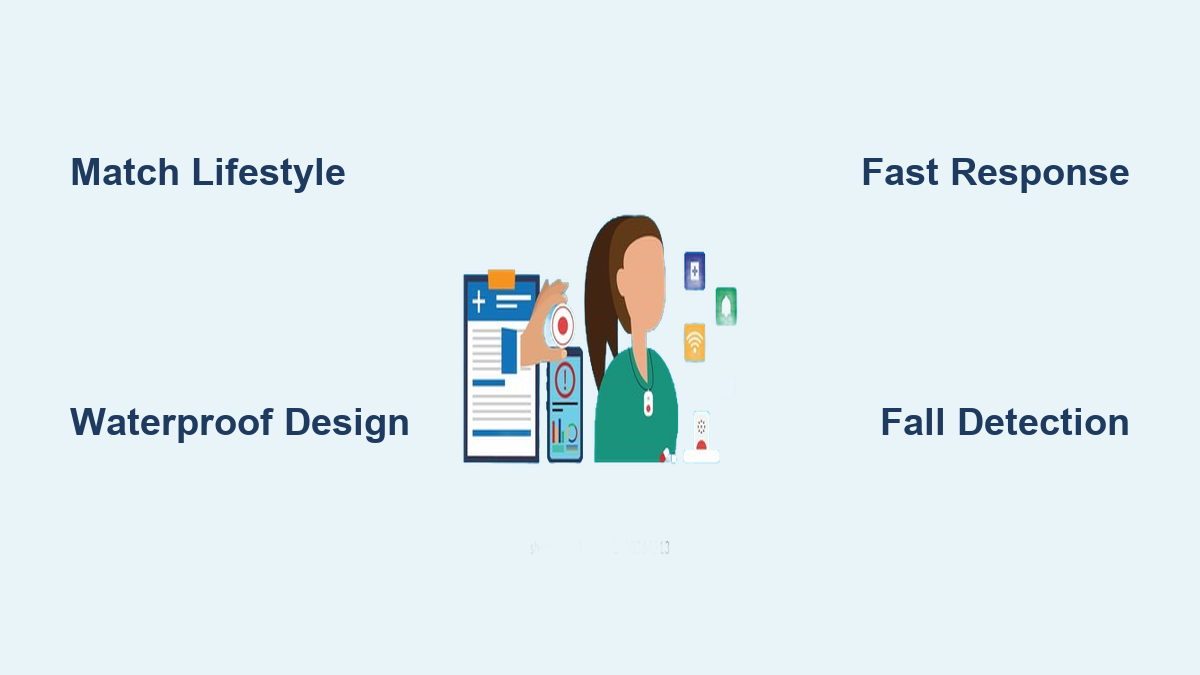
Every 11 seconds, an older adult is treated in an emergency room for a fall. For seniors living alone, a momentary loss of balance can quickly become life-threatening if no one is around to help. A medical alert system bridges that gap—giving seniors the freedom to live independently while ensuring help is always within reach. Whether it is a simple pendant press or automatic fall detection, these systems connect users to 24/7 monitoring centers, family members, or emergency services in seconds.
But with dozens of options on the market, how do you choose the right medical alert system for seniors? The answer lies not in the most features, but in the best fit. This guide cuts through the noise, using real-world data and expert insights to help you match the right system to your loved one’s lifestyle, health needs, and budget.
Match System to Lifestyle First
Choosing a medical alert system starts with understanding daily routines, not technical specs. The best system is the one worn consistently and activated in an emergency. That only happens when it fits seamlessly into real life.
Assess Mobility and Daily Activities
A senior who walks daily, runs errands, or visits grandchildren needs different protection than someone who rarely leaves the house. Start by answering three questions.
• Does the person leave home regularly? Even occasional trips to the store or doctor mean a mobile-capable system should be considered.
• Where do most activities happen? If bathroom trips at night or cooking in the kitchen are common, coverage must extend to those areas.
• Is the person active or homebound? Frailty, chronic illness, or recovery from surgery may limit movement, making a simple in-home system sufficient.
“Someone who is frail and does not leave the house often might not need a mobile system, while an active older adult may want added protection outside the home,” says Richard Caro, PhD, co-founder of Tech-Enhanced Life.
Choose the Right System Type
Lifestyle determines system type. Here is a quick breakdown to guide your decision.
• Mostly homebound: Choose an in-home system with long range and waterproof button.
• Leaves home weekly: Choose a mobile GPS-enabled device with fall detection.
• Lives with a partner: Look for dual-user plans that share monitoring at lower cost.
• Tech-savvy or independent: Consider a smartwatch or app-based system with modern design.
Prioritize Real-World Use Over Features
A system with GPS is useless if the senior refuses to wear it. Comfort, ease of use, and reliability matter more than bells and whistles.
• A large, easy-to-press button prevents missed calls during panic.
• A lightweight, waterproof pendant encourages wearing it in the shower, where 80% of bathroom falls occur.
• A breakaway necklace prevents strangulation risk.
Start with lifestyle, then narrow down technology options that support it.
Compare Key System Types
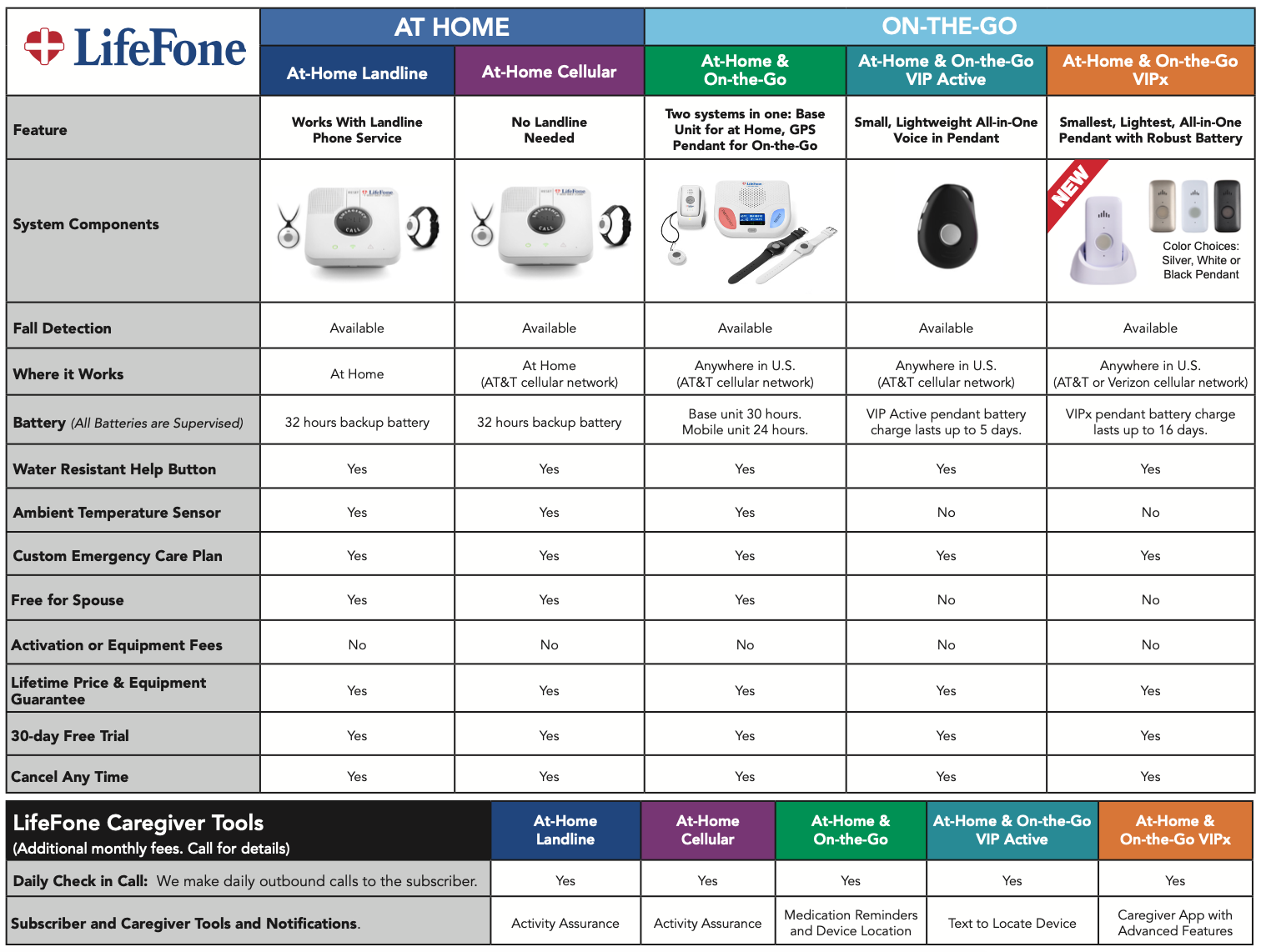
Not all medical alert systems work the same way. The type you choose determines where help can be summoned, from the living room to the grocery store.
In-Home Systems: Best for Limited Mobility
In-home systems are ideal for seniors who spend 90% or more of their time at home. These systems include a base station plugged into power and internet or landline, plus a wearable button worn as a pendant or wristband. When pressed, the user speaks directly with a live agent through the base unit speaker.
• Range: 300 to 1,400 feet, enough to cover most homes and backyards.
• Pros: Lower cost, simple setup, no daily charging required.
• Cons: No protection outside the home.
Top picks include GetSafe, which offers the best in-home range at 1,400 feet, and ADT Basic Plan for reliable landline use. Avoid this type if the user frequently walks outside or visits neighbors.
Mobile Systems: Protection On the Go
Mobile systems are ideal for active seniors who drive, walk, or travel. These devices use 4G LTE or 5G networks and GPS to provide nationwide coverage. They work without a base station and can be worn as a watch, pendant, or carried in a purse.
• Battery life: 1 to 7 days, depending on usage.
• Pros: Works anywhere with cell signal, precise location tracking.
• Cons: Higher monthly cost, requires regular charging.
Top picks include MobileHelp for best range and reliability, and Lively Wearable 2 for its user-friendly interface. Choose based on cellular provider and test signal strength at home and common destinations.
Hybrid Systems: Best of Both Worlds
Some providers offer a base station for home use and a mobile pendant for outings. This gives full coverage but at a higher price. This option works best for seniors who want seamless protection at home and away.
Passive Monitoring: For Those Who Forget to Wear Devices
These systems use sensors, not wearable buttons, to detect emergencies. Radar or infrared sensors detect falls automatically, while motion sensors track daily activity patterns. Alerts are sent if no movement is detected for hours. This approach is best for seniors with dementia or those who resist wearing pendants.
Evaluate Critical Safety Features
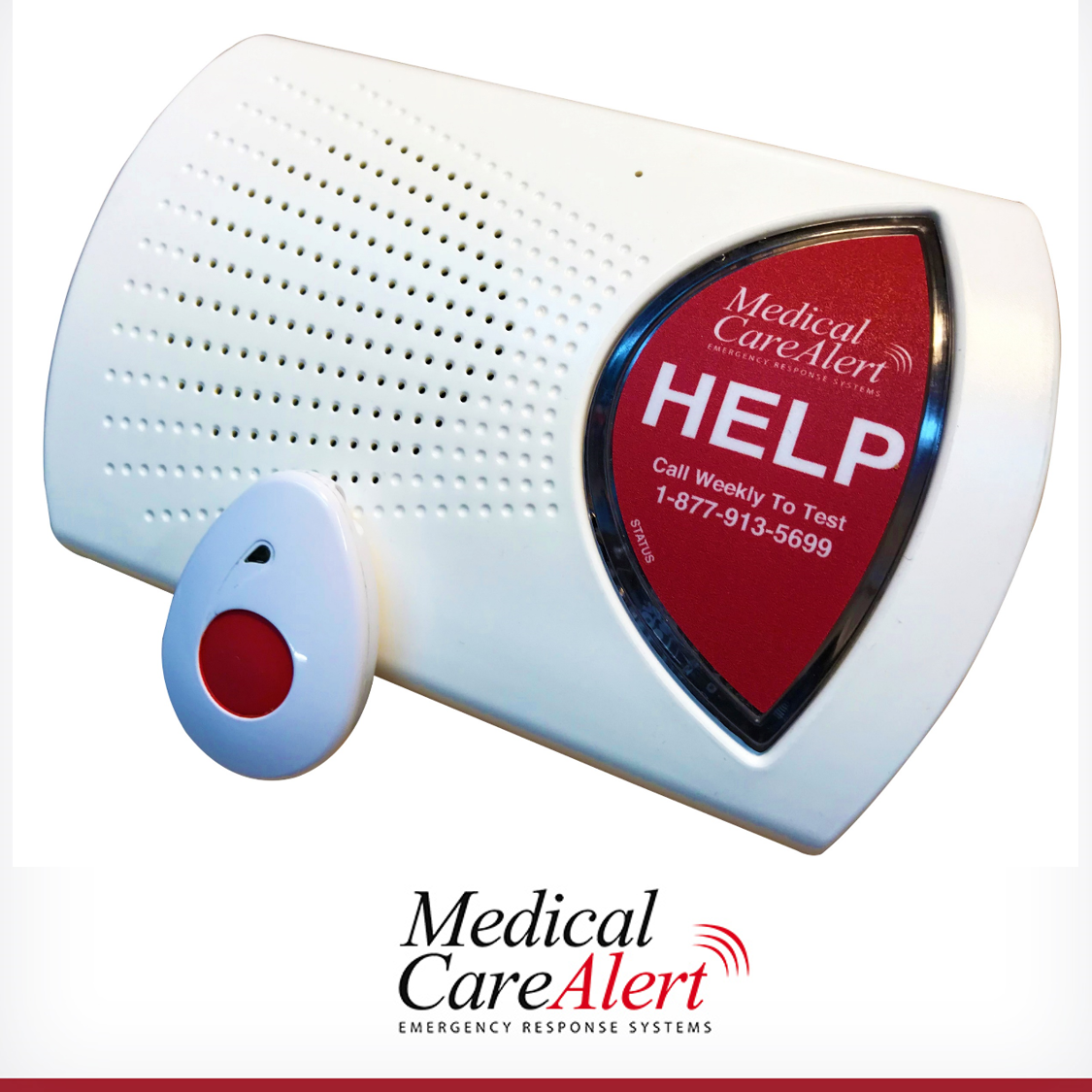
A medical alert system is only as good as its ability to summon help quickly and reliably. Focus on features that directly impact emergency response.
Automatic Fall Detection: Worth the Extra Cost?
Fall detection uses accelerometers and AI algorithms to detect hard falls and trigger an automatic alert without a button press.
• Who needs it: Seniors with balance issues, history of falls, or cognitive decline.
• Cost: $5 to $15 extra per month, with LifeFone offering the lowest at $5 per month.
Limitations include false alarms from dropping the device or sudden movements, and the system may not detect all falls such as slow collapses. Test the system is fall detection during the trial period. Some systems allow users to cancel false alerts quickly.
Waterproofing: Non-Negotiable for Bath Safety
Over 80% of bathroom injuries happen in the shower or tub. A non-waterproof device fails when needed most.
• Water-resistant is not waterproof. Only fully waterproof devices can be worn while bathing.
• Look for IP67 or IP68 rating, which indicates submersion protection.
All top systems now offer waterproof buttons, including Bay Alarm, Medical Guardian, and ADT.
Battery Life and Backup Power
• In-home pendants: Last 2 to 10 years with no charging needed.
• Mobile devices: Last 1 to 7 days and require regular charging.
Check for low-battery alerts, charging ease for arthritic hands, and base station battery backup during outages. Medical Guardian offers 36-hour backup, while Bay Alarm provides 32-hour backup.
Analyze Response Time and Monitoring Quality
Speed matters. The longer a senior lies on the floor, the higher the risk of complications like dehydration, pressure sores, or rhabdomyolysis.
How Fast Is Help? Look for Under 30 Seconds
• Industry standard: Under 60 seconds to connect to a live agent.
• Top performers: Under 20 to 30 seconds, with Medical Alert connecting in under 20 seconds and Bay Alarm Medical in under 30 seconds.
“Monitoring centers take only one emergency call at a time,” according to company representatives cited in Consumer Reports.
Choose Certified Monitoring Centers
Not all monitoring centers are equal. Look for certifications that verify reliability and training.
• CSAA Five Diamond Certified
• TMA Five Diamond Certified
• UL-Certified
These indicate 24/7 staffing, redundant systems with backup centers, and fast, accurate emergency dispatch. Certified providers include Bay Alarm Medical (TMA Five Diamond), ADT (UL-Certified), and Medical Alert (CSAA Five Diamond).
Monitored vs. Unmonitored: Which Is Safer?
Monitored systems connect to 24/7 live agents who call 911 and contact family, making them best for most seniors, especially those living alone. Unmonitored systems dial pre-programmed contacts only and work best for those with nearby family who can respond fast. Monitored systems are safer for solo living.
Check Connectivity and Signal Reliability
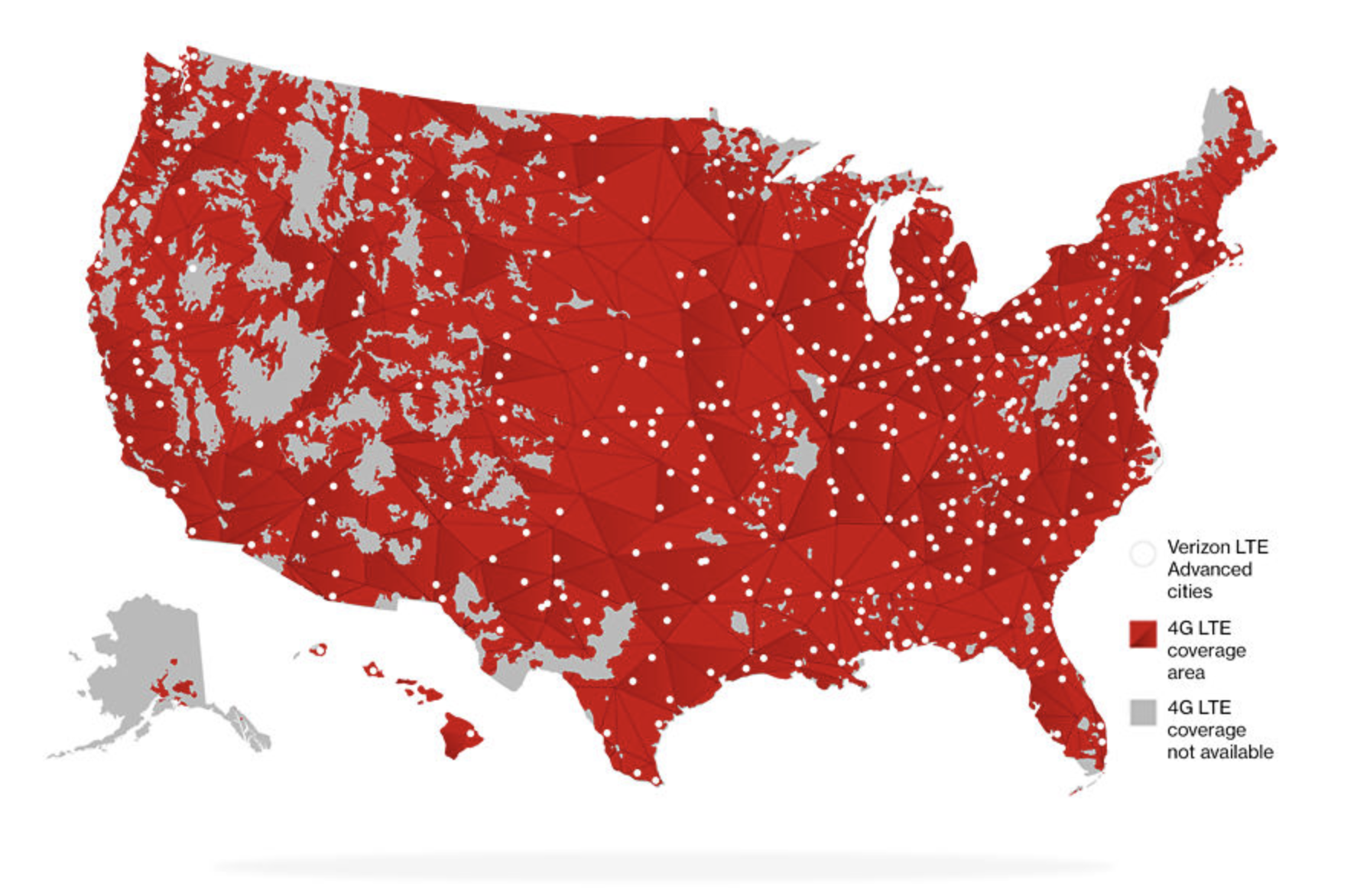
A system is useless if it cannot connect during an emergency. Do not assume your home has strong signal.
Landline vs. Cellular vs. Wi-Fi
• Landline: Low cost, reliable if line is active, but vulnerable to line damage and slower connection.
• Cellular: Fast, no landline needed, wide coverage, but requires strong signal and more expensive.
• Wi-Fi: Cost-effective but fails during internet outages.
Recommendation: Choose cellular unless you have a reliable landline. Most modern systems use cellular networks.
Test Coverage Before Committing
• In-home systems: Walk to bathrooms, basement, and backyard to test if the button connects.
• Mobile systems: Check if the provider uses Verizon or AT&T, which have the best rural coverage.
• Rural users: Look for dual connectivity or real-time signal indicators.
One user reported their device failed in the garage, a problem only discovered during a test call.
Review Cost, Contracts, and Hidden Fees
Medical alert systems range from $20 to $60 or more per month. The sticker price is not the full story.
Monthly Pricing Comparison
• Bay Alarm Medical: $27.95 in-home, $30 mobile, $10 fall detection
• LifeFone: $24.95 in-home and mobile, $5 fall detection
• MobileHelp: $25.95 in-home, $25 mobile, $10 fall detection
• Medical Guardian: $30 in-home, $40 mobile, $10 fall detection
• Lively: $24.99 in-home, $50 mobile, $15 fall detection
Best value comes from Bay Alarm Medical and LifeFone, which offer low cost, fast response, and strong features.
Watch for Hidden Costs
• Activation fee: $0 to $99. ADT charges $99, so ask for waiver.
• Equipment fee: $0 to $100. Philips Lifeline charges $100 for mobile unit.
• Extra buttons: $10 to $20 each, useful for multiple bathrooms.
• Key lockbox: $29 to $49, gives EMS access.
• Shipping and return fees: $10 to $20.
Avoid Long-Term Contracts When Possible
• Month-to-month plans: Available from Bay Alarm, Medical Guardian, MobileHelp.
• Life Alert: Requires 36-month contract, voidable if user enters nursing home or dies.
• Money-back guarantees: 15 to 30 days, with Bay Alarm at 15 days and ADT at 30 days.
Pro tip: Start with a month-to-month plan during the trial period. Switch later if needed.
Prioritize Ease of Use and Wearability
A system only works if it is worn. Comfort, simplicity, and accessibility are critical.
Design for Real-World Use
• Buttons should be large and easy to press for arthritis or limited dexterity.
• Necklaces should have breakaway clasps to prevent choking risk.
• Wearables should be lightweight, no more than 1.5 ounces.
• Voice prompts should be loud and clear for hearing-impaired users.
Top for ease of use includes Bay Alarm Medical with SecureScore 9.6 and Medical Guardian with SecureScore 9.2.
Charging and Maintenance Made Simple
• Magnetic charging cradles are easier than plugging in small ports.
• Low-battery warnings should be both audible and visual.
• Base stations should have status lights for power, signal, and battery.
One caregiver reported their mom stopped using the system because the charger was too fiddly.
Maximize Caregiver Involvement and Support
Family peace of mind is just as important as senior safety. The best systems keep caregivers in the loop.
Caregiver Apps and Alerts
Many systems offer iOS and Android apps that provide real-time fall detection alerts, GPS location tracking, device status monitoring, emergency contact management, and event history logs.
Top for caregivers includes Aloe Care Health for best app features and Bay Alarm Medical for real-time alerts and two-way messaging.
Care Coordination Tools
• Online portals allow remote updates to medical info and emergency plans.
• Text and email alerts notify family when help is summoned.
• Monthly test calls ensure the system works.
Include lockbox codes and spare key locations in the user profile at the monitoring center.
Explore Financial Assistance and Insurance Options
While not covered by Original Medicare, there are ways to reduce costs.
Can You Use HSA or FSA?
Yes. Medical alert systems are eligible expenses under most Health Savings Accounts and Flexible Spending Accounts. Save receipts and submit for reimbursement. Some providers accept HSA or FSA cards at checkout.
Medicaid and Veteran Benefits
• Medicaid Waiver Programs: Some states cover medical alert systems for home care.
• Veteran discounts: Several providers offer reduced rates for veterans.
• Area Agencies on Aging: May offer subsidies, sliding-scale fees, or free devices.
Tax Deductions
If a physician documents the system as medically necessary, it may qualify as a deductible medical expense on federal taxes.
Key Takeaways for Choosing a Medical Alert System
Selecting the right medical alert system comes down to matching technology to real life. Start by honestly assessing mobility, daily routines, and how often the senior leaves home. Choose in-home systems for those who rarely venture out, mobile GPS systems for active seniors, and hybrid options for comprehensive coverage. Prioritize waterproofing since most falls occur in bathrooms, and always check response times and monitoring center certifications. Avoid long-term contracts when possible, and take advantage of trial periods to ensure the system fits comfortably into daily life. Finally, explore all financial assistance options including HSA funds, veteran discounts, and Medicaid waivers to make the system more affordable.
Frequently Asked Questions About Medical Alert Systems for Seniors
What is the best medical alert system for seniors who never leave home?
An in-home system with a base station and waterproof pendant works best for homebound seniors. These systems cost less, require no charging, and cover the entire house and yard. Bay Alarm Medical and LifeFone offer excellent in-home options starting around $25 per month.
Does Medicare cover medical alert systems?
Original Medicare does not cover medical alert systems. However, some Medicare Advantage plans may offer coverage as a supplemental benefit. Check with your plan provider to see if benefits are available.
How much does a medical alert system cost per month?
Monthly costs range from $20 to $60 or more depending on features. Basic in-home systems start around $20 to $30 per month, while mobile GPS systems with fall detection typically cost $30 to $50 per month.
Is automatic fall detection necessary?
Fall detection is recommended for seniors with balance issues, history of falls, or cognitive decline. It adds $5 to $15 per month but can save lives when the user cannot press the button. Test it during the trial period to check for false alarms.
How fast do medical alert systems respond?
Top performers connect to a live agent in under 30 seconds. Industry standard is under 60 seconds. Medical Alert and Bay Alarm Medical are known for fast response times.
Can medical alert systems be used outside the home?
Yes, mobile systems with GPS work anywhere with cellular signal. They are designed for active seniors who drive, walk, or travel. These devices require regular charging but provide nationwide coverage.